Servers
Installing Hindsight on a server, the settings for recording, storage and sharing, and the commands for players and operators.
Installing
Put Hindsight in the server’s mods folder (with Fabric API on Fabric), and give it to your players too. The server records the block history; each player’s game plays timelapses back.
Players without Hindsight can still join and play normally. They just can’t watch timelapses, and they’re left out when someone shares one.
Session replays are separate: they’re recorded in each player’s own game and don’t need anything on the server. See recording replays.
Settings
The settings are in config/hindsight-server.properties, created with the defaults the first time the server starts. Restart the server after editing.
What to record
| Setting | Default | What it does |
|---|---|---|
recordPlayers |
true |
Blocks players place, break and change. |
recordExplosions |
true |
Blocks destroyed by explosions. |
recordPistons |
true |
Blocks moved by pistons. |
recordMachines |
true |
Blocks moved by other mods’ machines, like Create’s contraptions. |
recordOther |
false |
Everything else: fluids, crops, leaves, fire, redstone and other mods. Noisy, and makes the history much bigger. |
recordBuilders |
true |
Where players stand while they build, for ghost builders. A few KB a minute per builder. |
ignoreBelowY |
-10000 |
Skip changes below this height. 0, for example, ignores deep cave mining. |
Storage
| Setting | Default | What it does |
|---|---|---|
retentionDays |
0 |
Deletes history older than this many days. 0 keeps it forever. |
maxStorageMb |
4096 |
A cap on each world’s history folder, in MB. The oldest history goes first. 0 means no cap. |
History is kept in the world folder under hindsight/. Old history is cleaned up when the server starts and once an hour after that.
Timelapses
| Setting | Default | What it does |
|---|---|---|
maxAreaSize |
320 |
The longest side a timelapse area can have. |
detectRadius |
96 |
How far from the player the build detection looks. |
maxPlaybackChanges |
500000 |
The most changes sent for one timelapse. Beyond this, the oldest are left out. |
Sharing
| Setting | Default | What it does |
|---|---|---|
allowShared |
true |
Lets players share timelapses with everyone nearby. |
sharedNeedsOp |
false |
Only operators can share. |
sharedRadius |
64 |
How far from the area other players can be to join a shared timelapse. |
Commands
| Command | Who | What it does |
|---|---|---|
/hindsight |
Everyone | A short help message. |
/hindsight timelapse |
Everyone | The same as the timelapse key. |
/hindsight milestone add <name> |
Everyone | Marks a milestone here and now. |
/hindsight milestone list |
Everyone | Lists milestones near you. |
/hindsight milestone remove <name> |
Everyone | Removes milestones with that name near you. |
/hindsight stats |
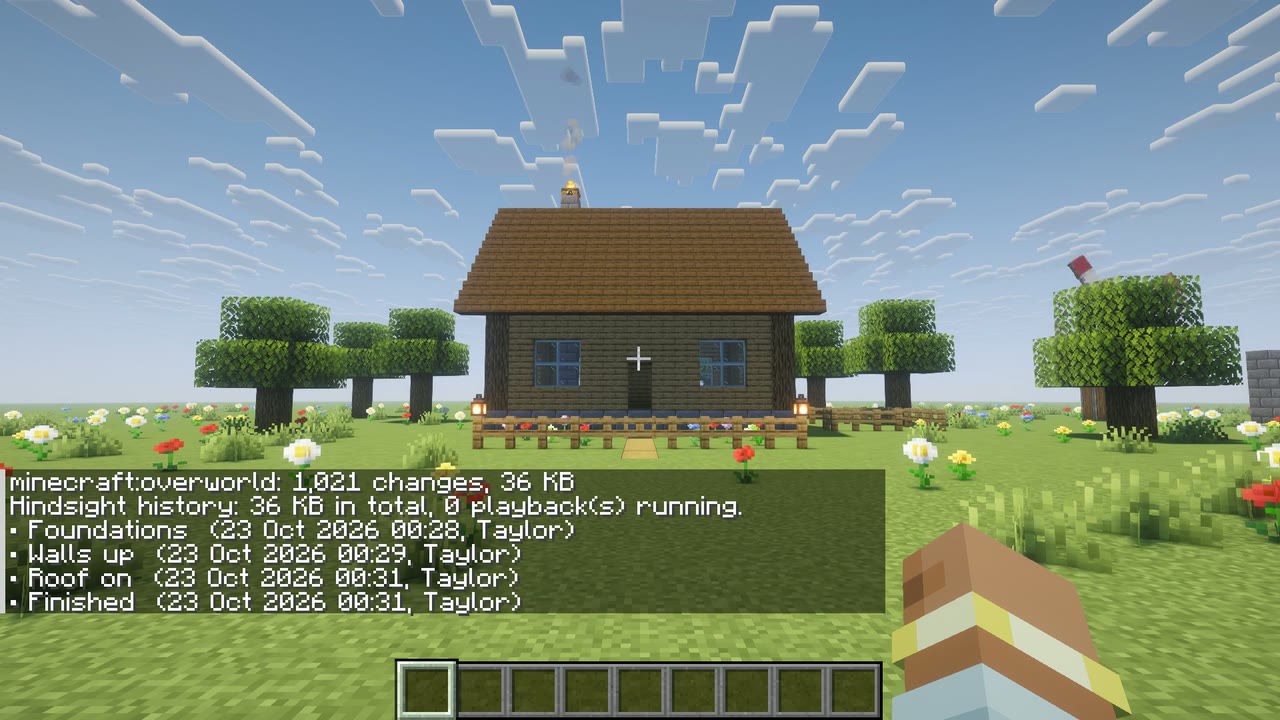
Operators | History size and change count for each dimension, and the timelapses running now. |
/hindsight purge <days> |
Operators | Deletes history older than that many days, straight away. |
“Operators” means permission level 2 or higher, the same level as vanilla commands like /gamemode.
Fair use
A timelapse can only cover an area near the player who starts it (within twice detectRadius), so nobody can read the history of builds on the far side of the map. History lookups are limited to two a second per player and run off the main server thread, so they don’t hold up the game.
Singleplayer
Everything above works the same in singleplayer, where your game is the server. The settings file is in your game’s config folder, and the history is in your world’s save folder, so it’s copied along with the world.